Changelog
Product updates and new features from Trata.
October 2 – 9, 2026
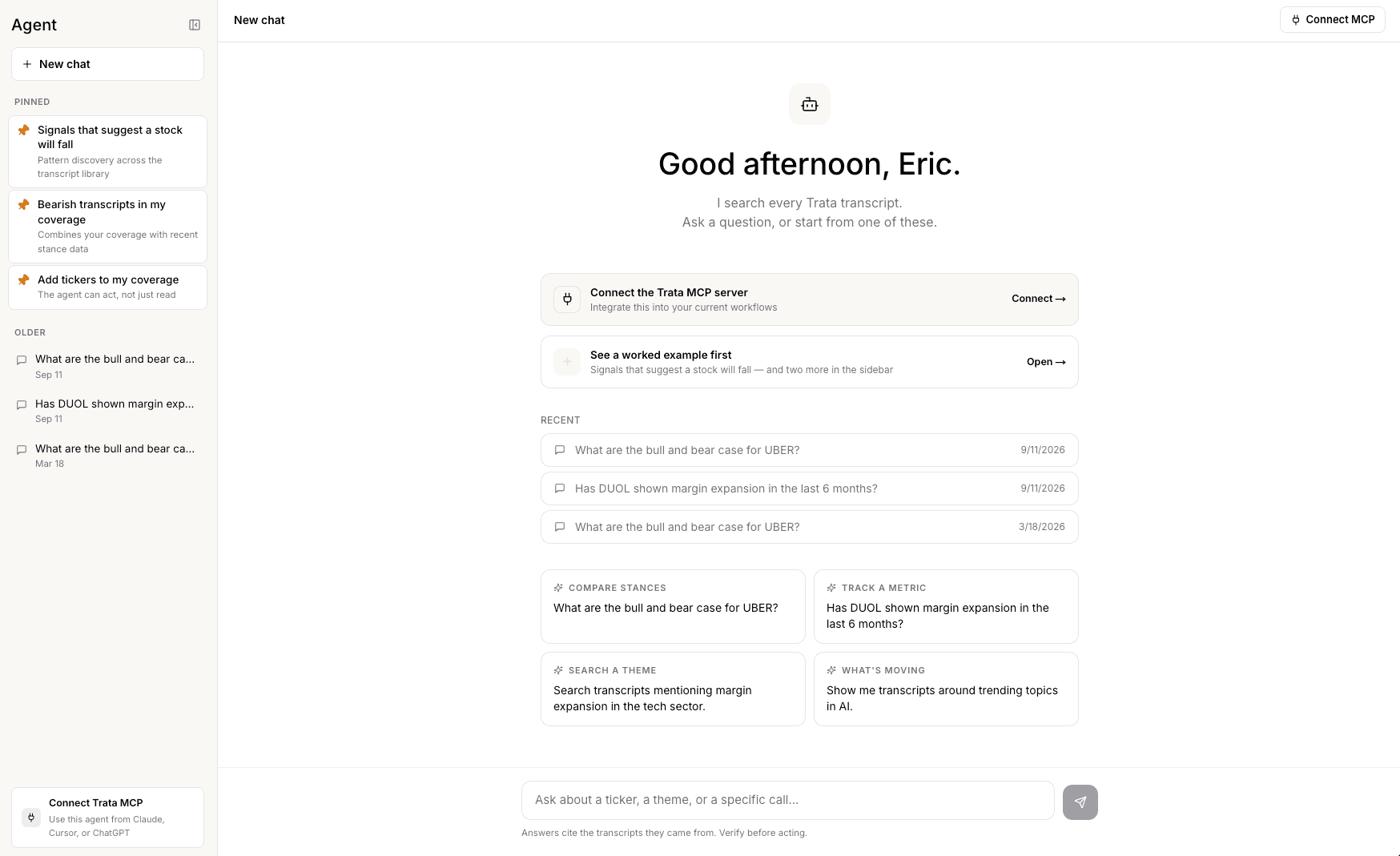
Trata AI Chat
You are now able to query and search through transcripts with the Trata AI Chat. Functionality is on par with the Trata MCP if you are unable to connect that into your workflows
See examples of chats that have been done before for guidance and continue the conversation there
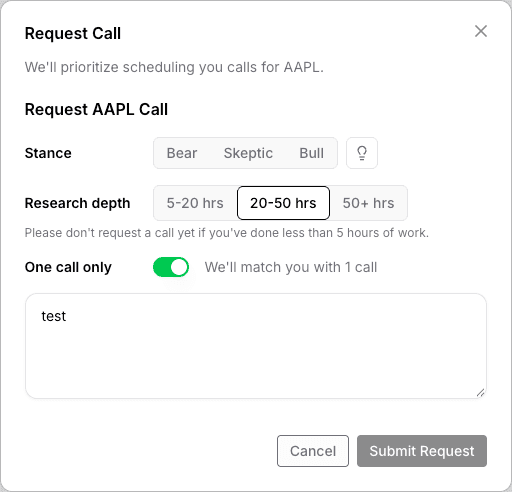
See the Research Depth Behind Every Call Request
Call requests now carry a Research Depth level, so you know how much prep already went into a request.
Research Depth shows up when scheduling a call, on call details, and on your pre-call background card.
Other updates
Org admins now get an onboarding checklist nudge to invite teammates and fill open seats.
New to Trata? The Calls page now walks you through how calls work instead of showing a blank screen.
Fixed welcome and onboarding popups that were missing for some new users, showing up too often, or not appearing on mobile.
Added a one-click Availability button right on the Call Schedule page to update your schedule across all upcoming calls
Rescheduling a call now shows your previously saved availability instead of a blank calendar.
September 25 – October 2, 2026
A Cleaner AI Search for Transcripts
Trata's AI search on the transcripts page has a new design, built to be easier to use.
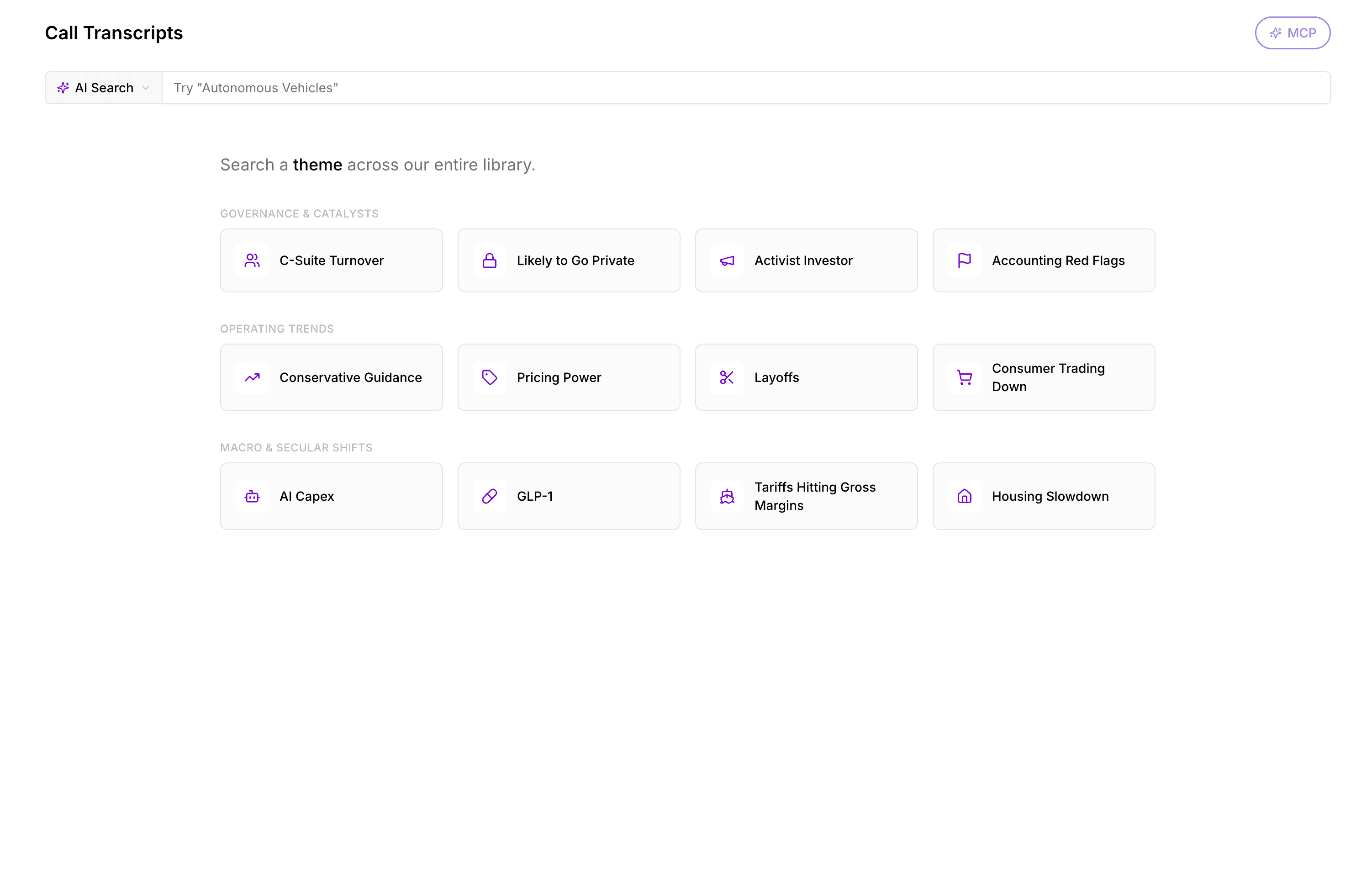
The new AI search on the transcripts page
Other updates
Trata's MCP tools are now capped at 240 calls per day, with a clear rate limit message
Trata's call confirmation emails now include tailored pre-call context chosen for each recipient, not one all-or-nothing setting.
September 18 – 25, 2026
Minor Updates
Fixed a bug that wrongly blocked free-trial users from connecting Trata to Claude, ChatGPT, or other AI tools.
Scheduling call reminders now also show up as in-app notifications, not just email.
Tidied up spacing, alignment, and button colors on the Ticker Coverage page.
Add Ticker search now only accepts real tickers, and pasting multiple tickers at once works correctly.
Trying to reuse your old password now shows a clear message instead of a generic error
September 11 – 18, 2026
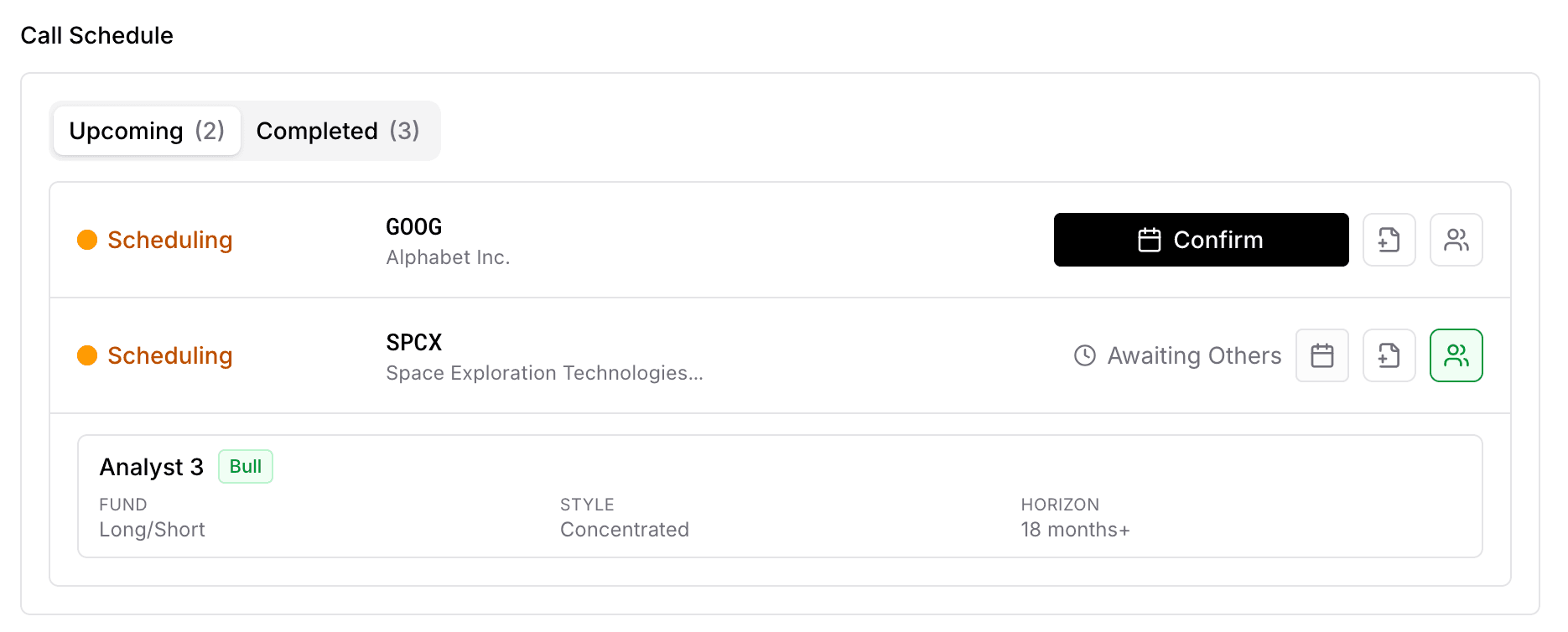
Know Who You're Talking to Before the Call
Trata now shows you background shared by the other call participants before you join, so you're never walking in blind.
See fund type, portfolio style, time horizon, and stance (Bear, Bull, Skeptic) when they've shared it.
This same background now shows up in your scheduling and confirmation emails, too.
Ticker Coverage Improvements
Ticker coverage screen now has a search bar, so you can jump straight to a ticker in your list.
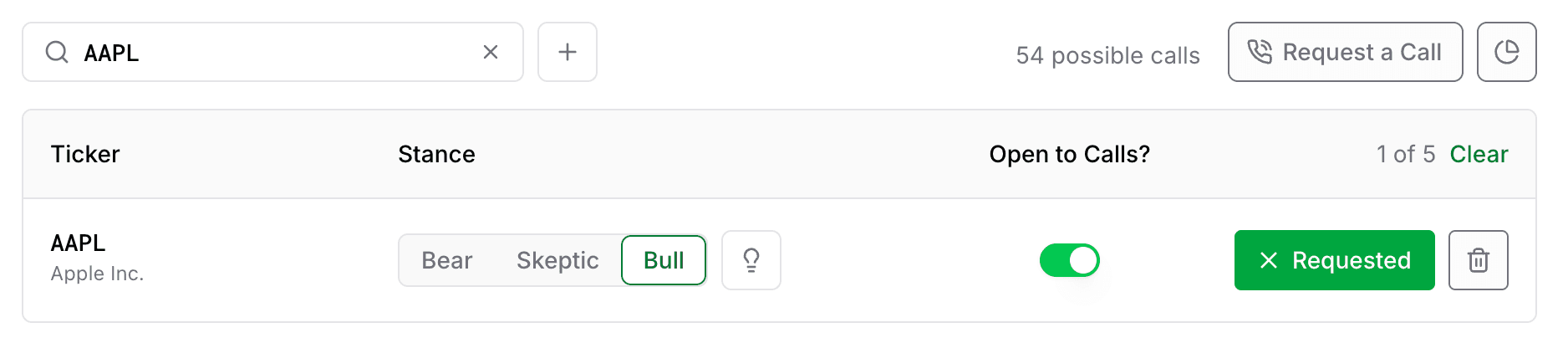
Request a call on any ticker with the new Request a Call button, no need to add it to coverage first.
Simplify badges and optimized for mobile
Reschedule Calls Right From the Calendar
Rescheduling a Trata call now drops you into the full availability calendar to pick a new time
The calendar now correctly shows other confirmed participants' availability, which previously failed to load.
Everyone on the call gets notified by email and text when a call is rescheduled.
Text Alerts for Call Scheduling
Trata now sends a text message alongside email at every scheduling step: outreach, confirmation, cancellation, and a nudge when it's your turn to add availability.
Notification preferences to you opt out of call scheduling SMS.
Other updates
A new banner reminds you before an invoice is due
Requesting a call from a transcript now kicks off scheduling automatically.
Fixed: /calls now correctly prompts you to refresh your availability when it's gone stale, instead of leaving the call stuck.
September 4 – 11, 2026
Free Users: Know Where Your Upgrade Request Stands

Displays waiting-for-terms banner when your org's plan upgrade is pending, instead of leaving you guessing
Upgrade buttons stay visibly disabled until subscription terms are signed,
Other updates
Filter Transcripts with new "My Contributions" filter to see the published transcripts of your calls
Requested tickers on your coverage screen are now ranked by overlap with your existing sector coverage.
Improvements to Trata's printed transcripts PDFs: alignment of font and design, wider margins, and cleaner page breaks.
Confirmed calls now stand out in a distinct color on your availability calendar.
See your own scheduled Trata calls in the call scheduling calendar
You'll now be prompted to refresh your availability if it's gone stale.
August 28 – September 4, 2026
Manage Coverage and Request Calls from MCP
List, add, update, and close your own ticker coverage with the Trata MCP
Request a call on a ticker straight from MCP. It reuses your existing stance and conviction instead of asking again.
Instructions to connect to the MCP here.
A Bigger Free Tier
Free accounts are no longer capped at 7 transcripts. Unlimited access to a unlocked transcripts.
Free-trial tier adds access to the Trata MCP
See Biggest Movers in the Transcript Library
Trata's transcript library now highlights the biggest 5-day price movers, filtered to tickers where an analyst's stance actually matched the move.
See Everyone's Availability When Scheduling a Call
Call scheduling page now shows the availability of other confirmed participants next to your own, so you can see where you overlap at a glance.
Busy blocks from externally linked calendars are never shared — only free/busy status.
Other updates
Subscribed users can now download and print up to 5 transcripts per week,
Tightened privacy messaging and layout on the call scheduling page.
Each account is now limited to 3 concurrent active sessions; signing in on a 4th device signs out the oldest.
Added a new support page.
August 23 – 28, 2026
Price Moves in the Transcript Library
The transcripts page now shows the biggest 5-day price movers across Trata's library
Movers are filtered to tickers where an analyst's stance actually matched the price move, cutting the noise of coincidental swings.
Click any ticker to jump straight into its latest transcript and read the debate behind the move.

Clearer Next Steps on Call Scheduling
Call scheduling table now explicitly indicates next actions
If nobody's availability overlaps yet, the table now says so directly rather than staying silent.
Other updates
Added privacy messaging on the call scheduling page, on both desktop and mobile.
The request-call bar on mobile transcript pages no longer covers the audio player while a track is loaded.
Call reschedule emails to Trata users now include a button linking straight to your availability.
The compliance check before confirming availability, and the request-a-call option on transcripts, now show consistently for everyone eligible.
Fewer repeat coverage emails — Trata now waits 14 days before re-sending one.
Fixed a date-filtering bug in Trata's MCP tools so 'calls from today' queries return the right results.